
creating the next floor
Adding a floor
There are two ways to add a new floor:
1. Using the Floor button on bottom toolbar
- On the bottom toolbar are two arrows with Floor written in between them.

- Tapping either arrow will ask if you want to add a new floor if one does not already exist in the relevant direction – if a floor already exists you will simply be taken to it.
2. Using stairs
- Add a set of stairs to the property.
- Tap Go Upstairs... on the stairs menu (if not showing simply tap on the stairs).
We suggest using option 1 so that the stairs are not a potential distraction when drawing the next floor.
Starting a new floor
Landings are not always the best place to start a new floor from, as there is not necessarily a convenient anchor point on the floor below.
When you go up to a new floor you will be shown the outline of all the rooms on the floor you have created on the floor below.
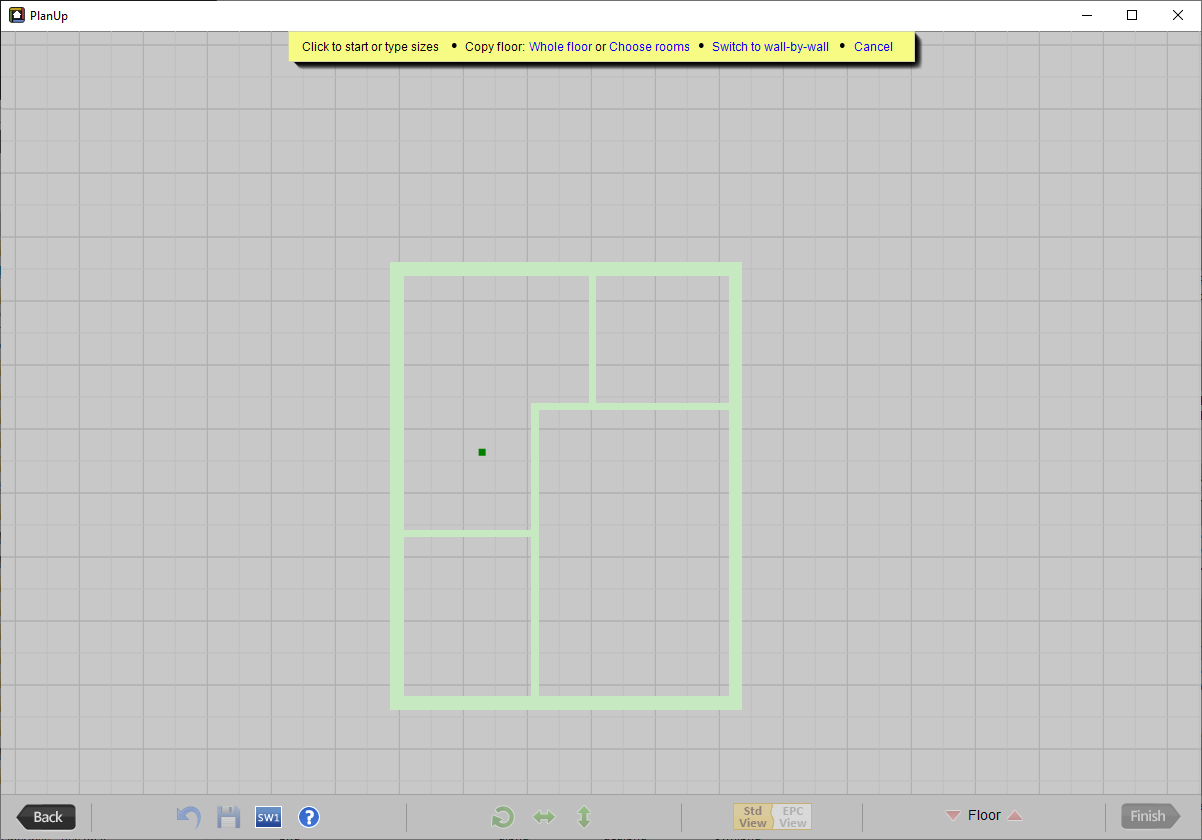
Simply use the one of the methods outlined in drawing the first room, and then continue adding other rooms using one of the methods described in adding another room.
NB: There might be occasion when the positioning of floors does not quite match or when there are no convenient starting points for the first floor. In these instances you can use the stairs to adjust the relative floor positioning. See Moving a Floor Using the Stairs for details.